




Using the ARC function on a DRO

Started by springcrocus · 8 replies · 3,662 views

springcrocus
28 Sept 2025, 09:59
Post deleted, poor information provided. Sorry for wasting everyone's time.
Steve
Last edit: 29 Sept 2025, 07:06 by springcrocus
redhouseluv
Reply #1 · 28 Sept 2025, 10:05
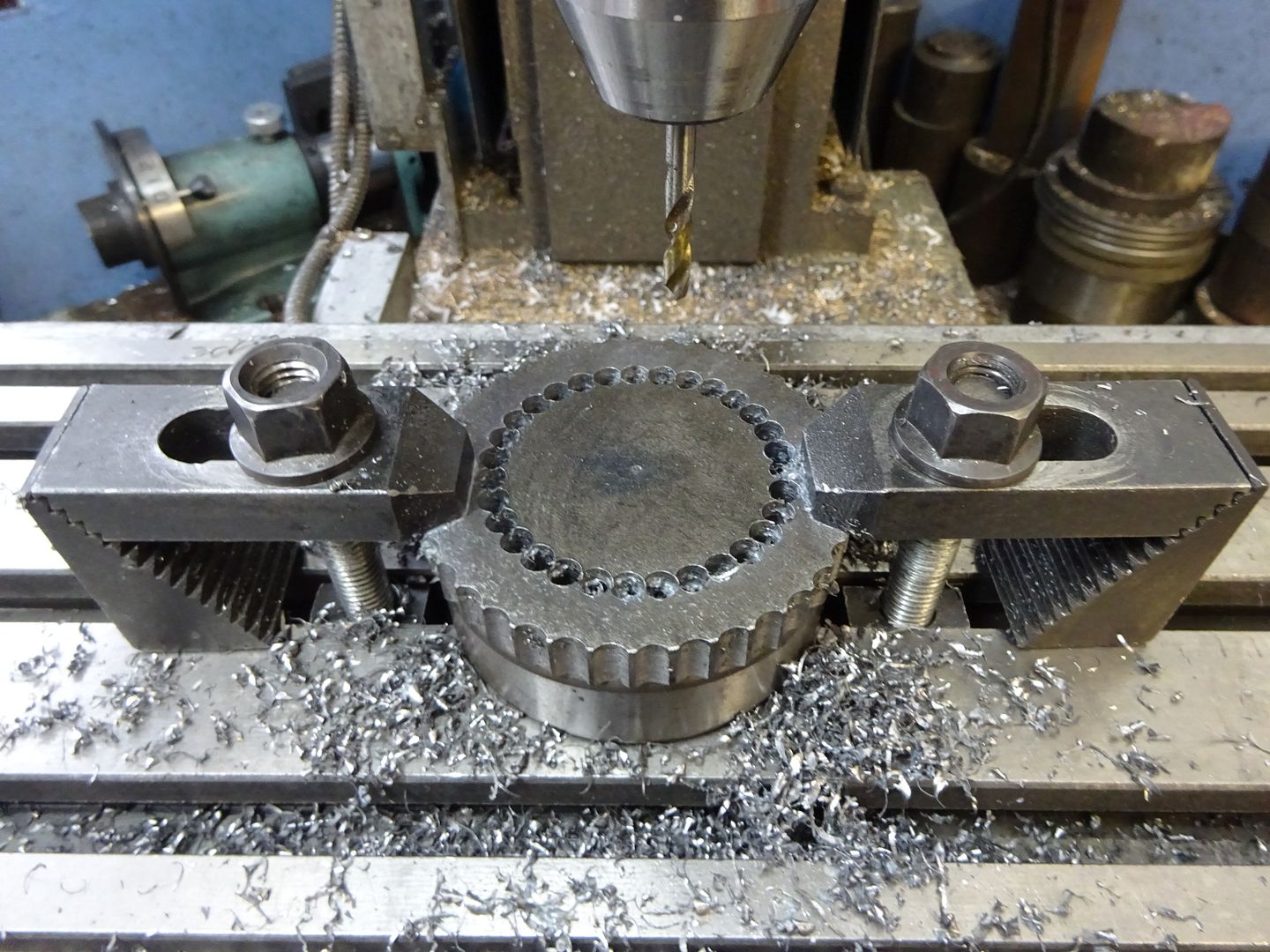
Quote from: springcrocusMany of you will be comfortable using the ARC function on your DRO's for forming radii or creating a circle of holes.

Regards, Steve

errrrrr............I wish I was, I need to learn how to do this. Just wandering if there's a Youtube video or something more understandable tan the manual?
Jasonb
Reply #2 · 28 Sept 2025, 12:31
For simple stitch drilling like you have shown it is far simpler to just use the PCD function with a bit of maths or CAD to work out how many holes you need to do for them to just overlap, yes I like them to overlap then the waste just drops out. For a semicircle just start at 0deg and finish at 180deg. or whatever orientation you need such as 30 to 210


When I have used the ARC function I have been able to use the same 0,0 as the ctr of the and then cut each quadrant from that same centre simply buy choosing one of the eight options, no need to setup for each quadrant. There are 8 different options, not really needed for stitch drilling but when you are milling they have different directions for each of the four pairs so you can cut from the top down or side up.

With a small stepover you can mill a shape like this with a flat ended cutter


springcrocus
Reply #3 · 28 Sept 2025, 12:40
Well, what with Sanjay preferring YouTube and Jason effectively trashing my work, I think I will give it a miss in future. I'm obviously not very good art this lark.
Regards, Steve
samc88
Reply #4 · 28 Sept 2025, 14:45
Very interesting thanks Steve. I'm yet to try the arc function and this write up is much clearer than the manual I have
redhouseluv
Reply #6 · 28 Sept 2025, 18:42
Quote from: springcrocusWell, what with Sanjay preferring YouTube and Jason effectively trashing my work, I think I will give it a miss in future. I'm obviously not very good art this lark.
Regards, Steve


Sorry Steve, I didn't mean to say that your efforts were wasted, as a beginner I have found it easy to have a old laptop in the workshop and step through following Youtube videos. Keep up the good work, I NEED INSTRUCTIONS  ;D
Last edit: 28 Sept 2025, 20:19 by redhouseluv
Jasonb
Reply #8 · 29 Sept 2025, 06:30
Steve, my reply was as much to Sanjay as it was to you.

In my opinion for stitch drilling as you show then the PCD function is simpler, will do any angle of arc and being a function that most use a lot more often does not need reference back to poor instruction books.

If you had been wanting a far smoother finish to the semicircle then the ARC function can be a better option as it will work out the ofset from the edge depending if you want to cut inside like you show or outside to leave the semicircle. These are typicaly used to round over corners or cut a cove/scotia. on the X-Y plane.

The usual way to set it up is to enter the radius of the arc in this case 31.5 not the ctr line and then when you enter the tool diameter the software will take that into account and plot the points so that the tool is inside or outside that 31.5mm radius by half it's diameter depending on what you select.

When it comes to rounding on the X-Z or Y-Z planes then that is where the eight options come into it more, but even when doing in X-Y the direction of travel can affect the finish as one is less likely to see the tool being pulled into the work. The eight buttons show the vertical milling cutter and that is when they come into play when the cutter is vertical up against the arc like the example I showed.

Quick reply

Log in to reply.